Debugger
Breakpoints in the editor, steps, variables and scene objects on pause, FPS counter.
Make 3D and 2D games like in Roblox Studio and Unity: place the world with the mouse, press Play, tweak objects right in the running game — and publish to UpBilim Player with one button. TypeScript code when you need it.
curl -fsSL https://studio.upbilim.com/install.sh | sh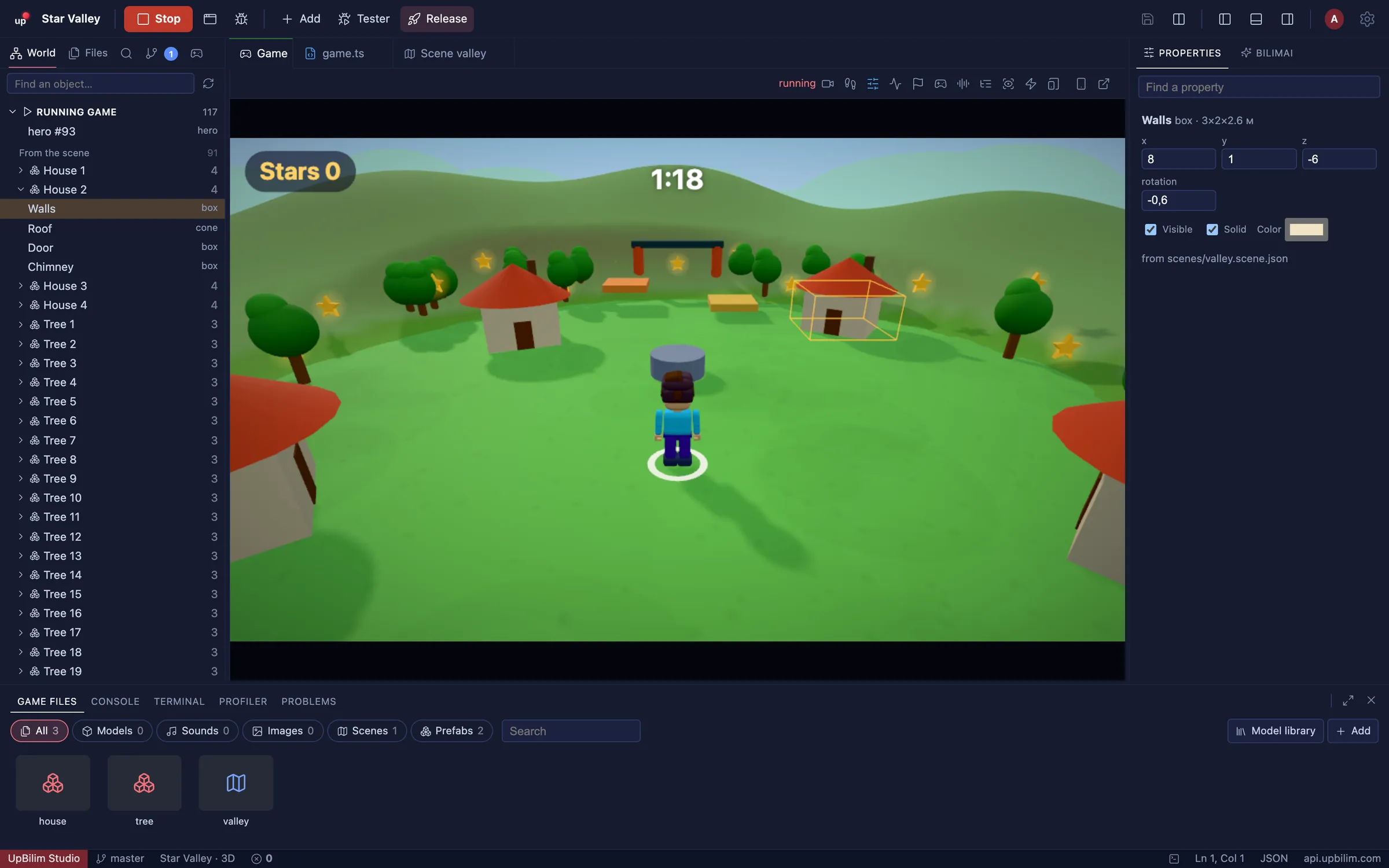
Scenes
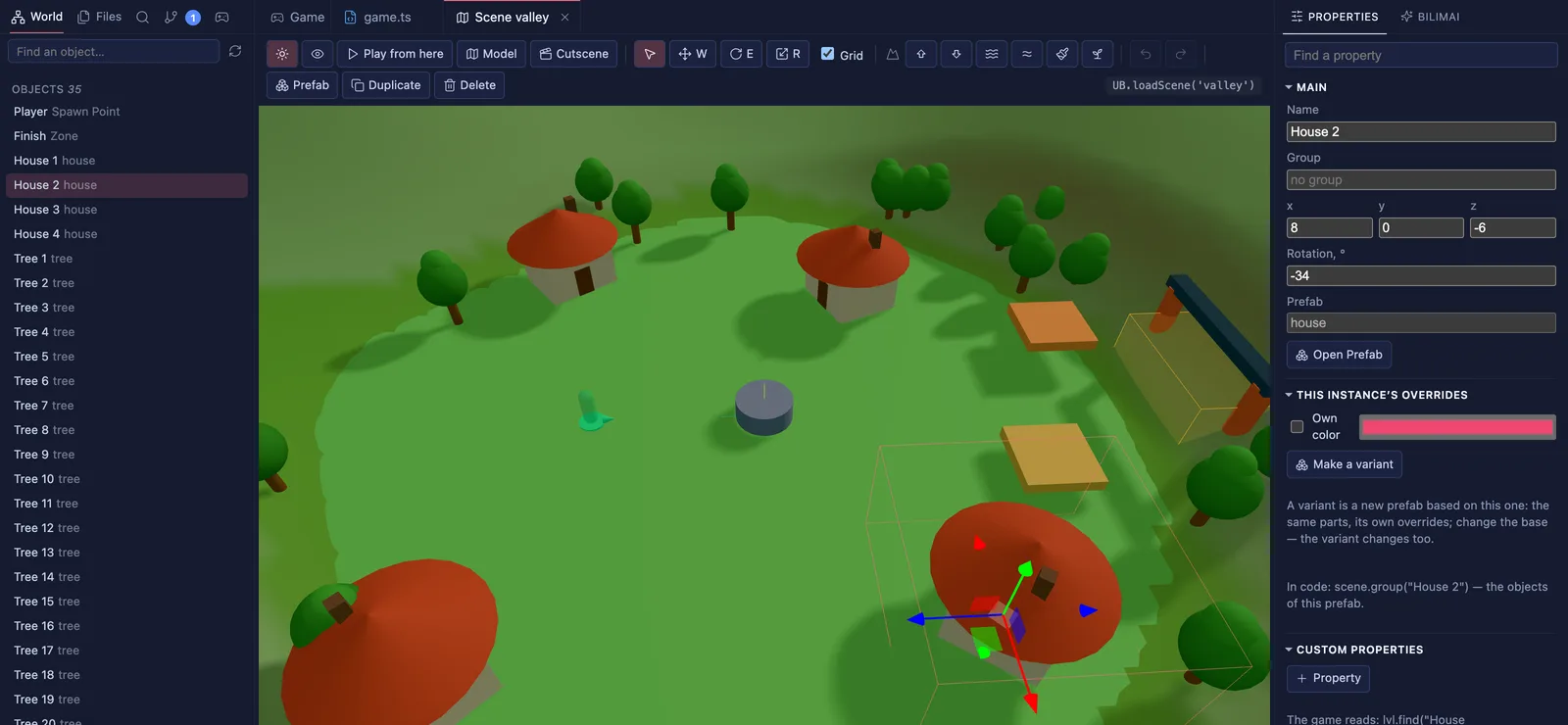
Levels are data, not code: place boxes, shapes, your own models and prefabs, paint hills with a brush, set the sky, sun and shadows. The game loads it all with one line — UB.loadScene().
Preview
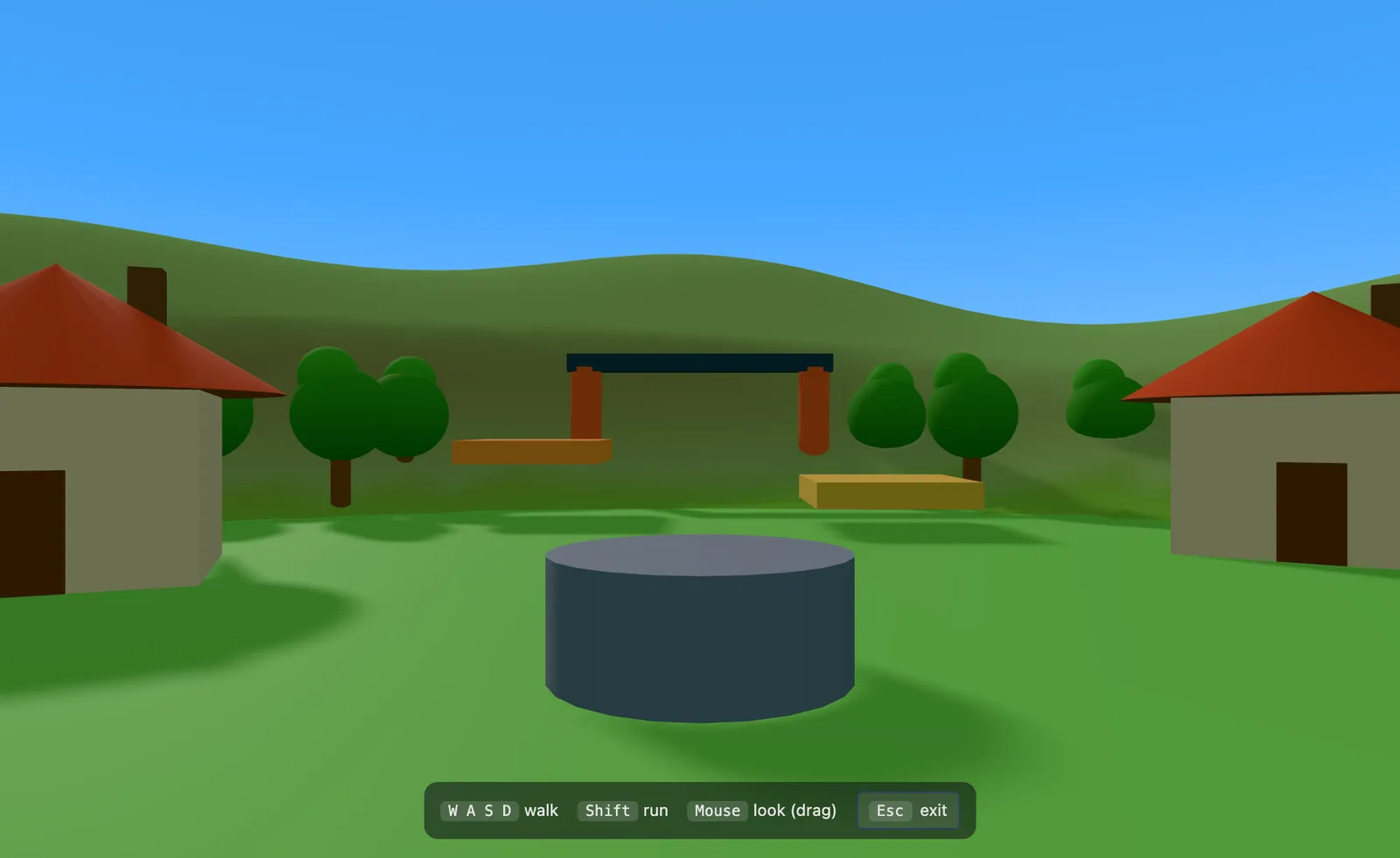
Press G and the camera stands at the spawn point at eye height. Walk with W A S D, look around with the mouse — and see the level the way players will.
Models
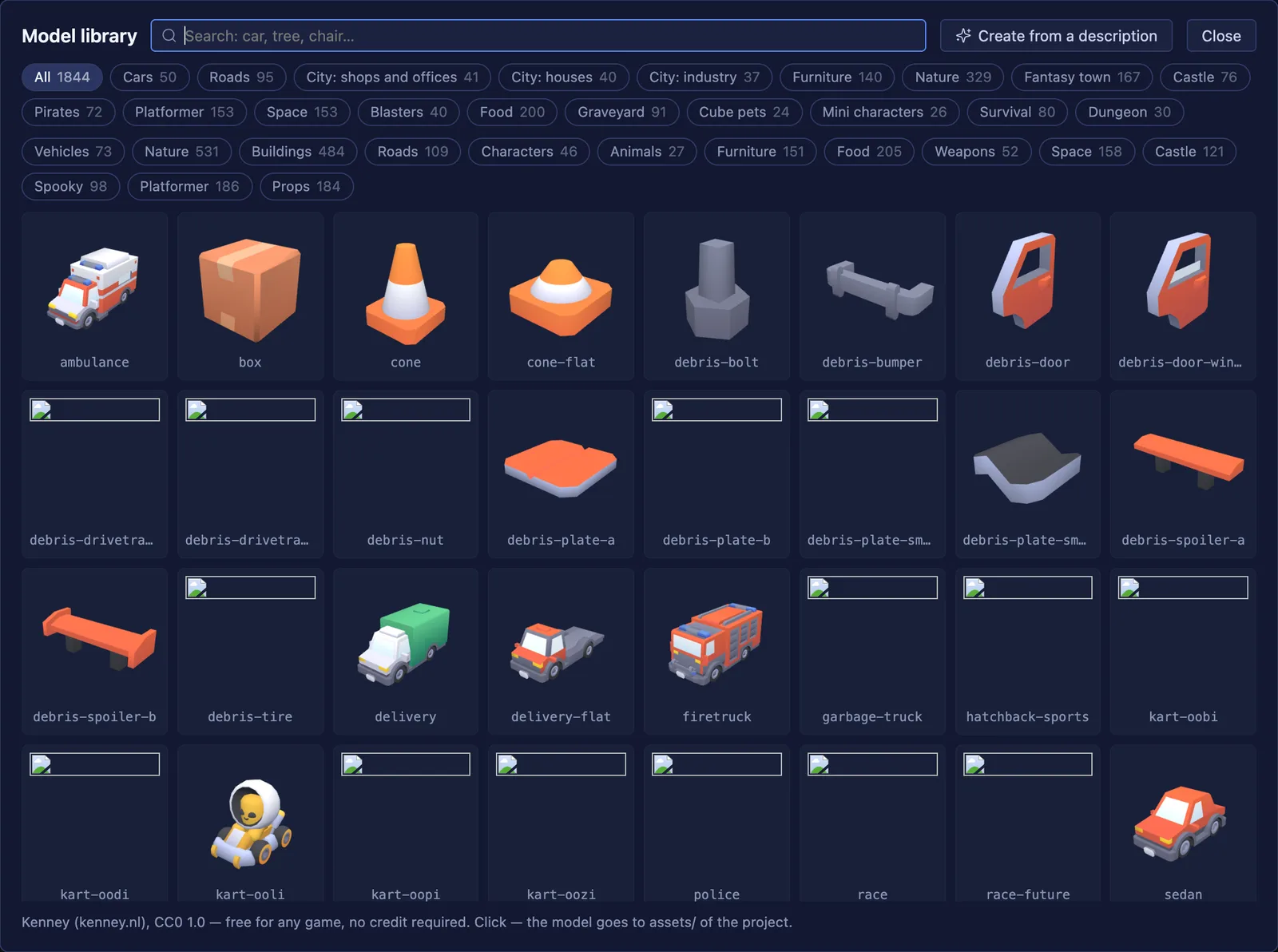
A built-in library of free 3D models (CC0): cars, buildings, nature, characters and more, with search in three languages. One click — and the model is in your project.
Code
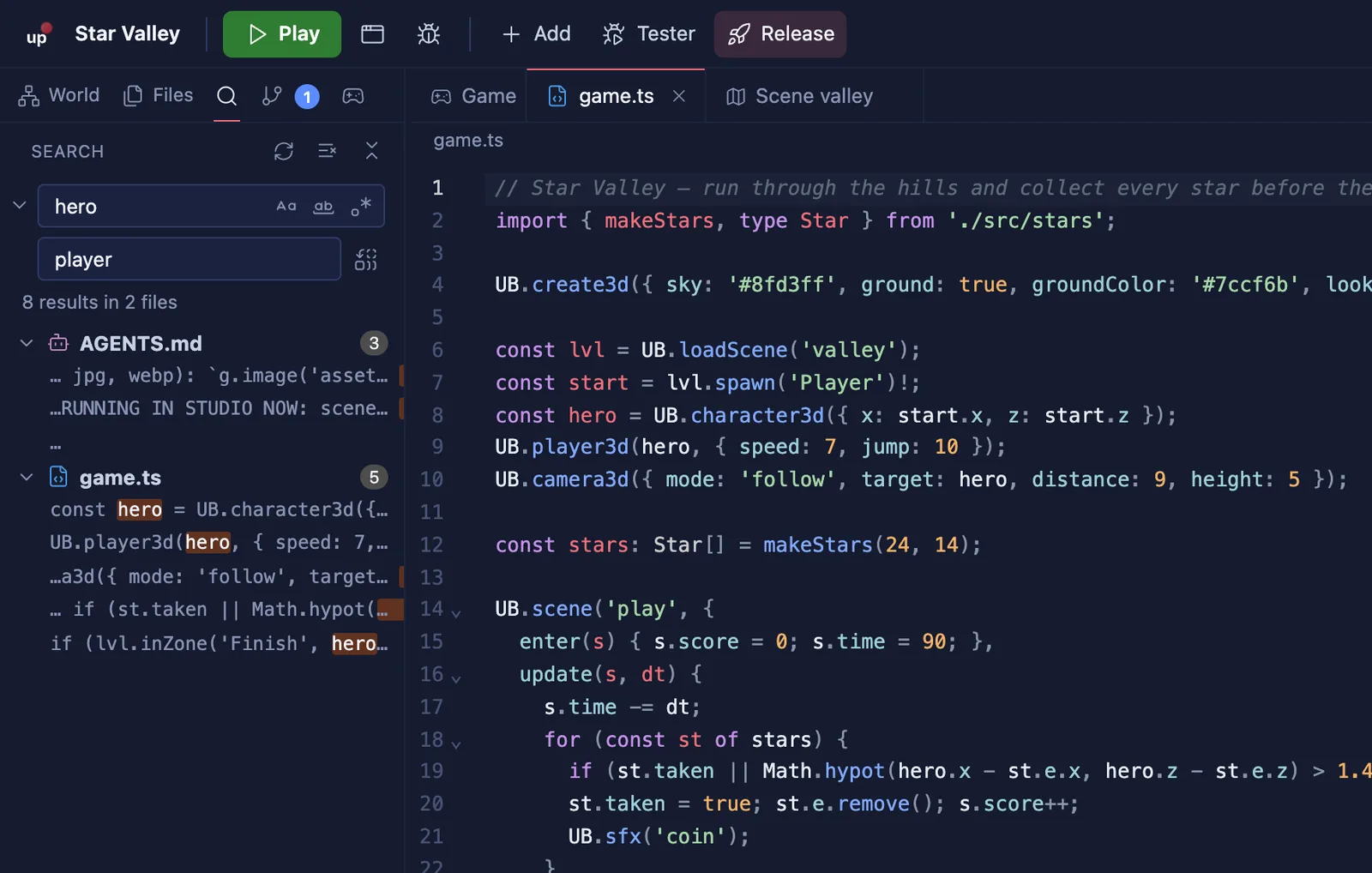
TypeScript or JavaScript with modules and imports. Hints and type checking for the whole UB engine, search and replace across the project, errors that point to the right line.
Git
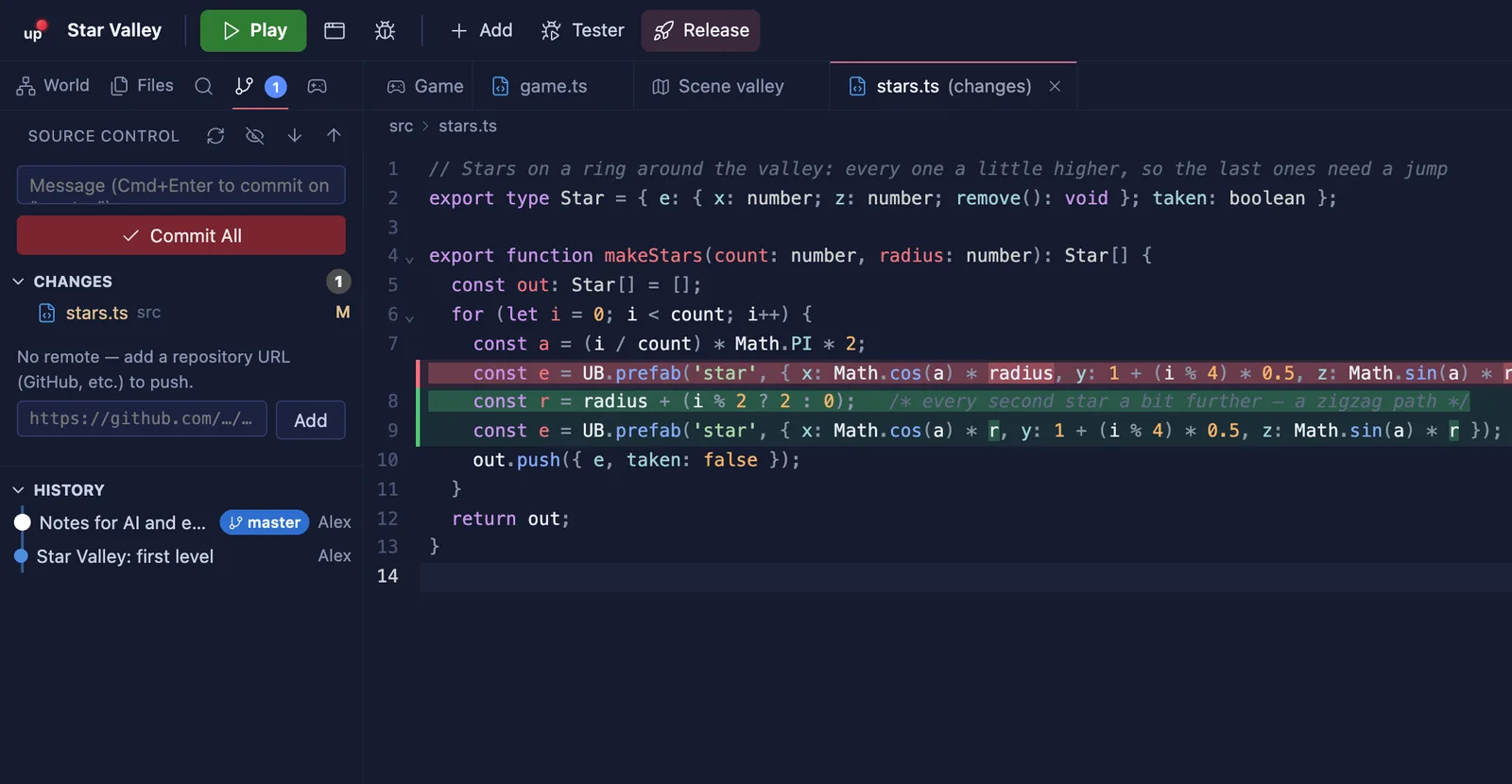
See what changed, compare side by side, commit, switch branches, pull and push — like in the editors you already know.
Breakpoints in the editor, steps, variables and scene objects on pause, FPS counter.
A terminal inside for Claude Code, Codex or any agent. AGENTS.md and engine docs come with every project.
Scan a QR code — the game opens in UpBilim Player on your phone with touch controls.
Card, cover, age and genre — and the game goes to UpBilim Player after a check by the UpBilim team.
Write and run games without the internet. You only need it to sign in, get models and publish.
Studio speaks English, Russian and Uzbek — switch any time in Settings.
Install Studio and sign in with your UpBilim account.
Start from a template, open a game from the kids’ Studio, or start from scratch.
Press «Publish». After a check the game appears in UpBilim Player for everyone.
Yes, Studio is free to download and use. You only need an UpBilim account to publish games.
In UpBilim Player — the app and player.upbilim.com. Games made in Studio run only there.
TypeScript or JavaScript. The UB engine handles 3D, physics, sound, characters and multiplayer rooms.
Only to sign in, download models and publish. Writing and running games works offline.
Open System Settings → Privacy & Security and press «Open Anyway» next to UpBilim Studio. You only need to do this once.
It is coming. For now Studio works on Macs with Apple Silicon (M1 and newer).
Free. One account for Studio, Player and the school.
curl -fsSL https://studio.upbilim.com/install.sh | sh